Canon EOS R1 – 8 Months in the Wild: A Field Photographer’s Perspective

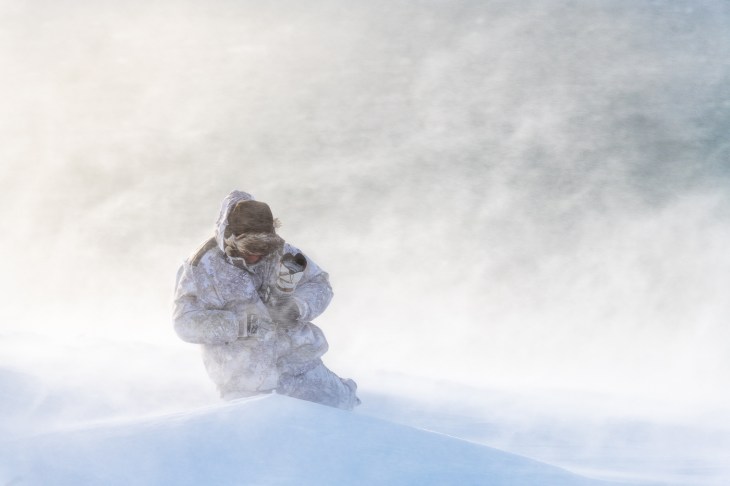
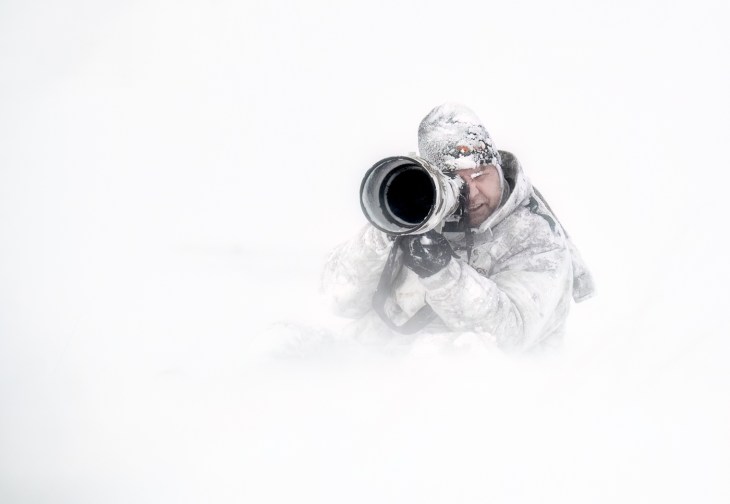
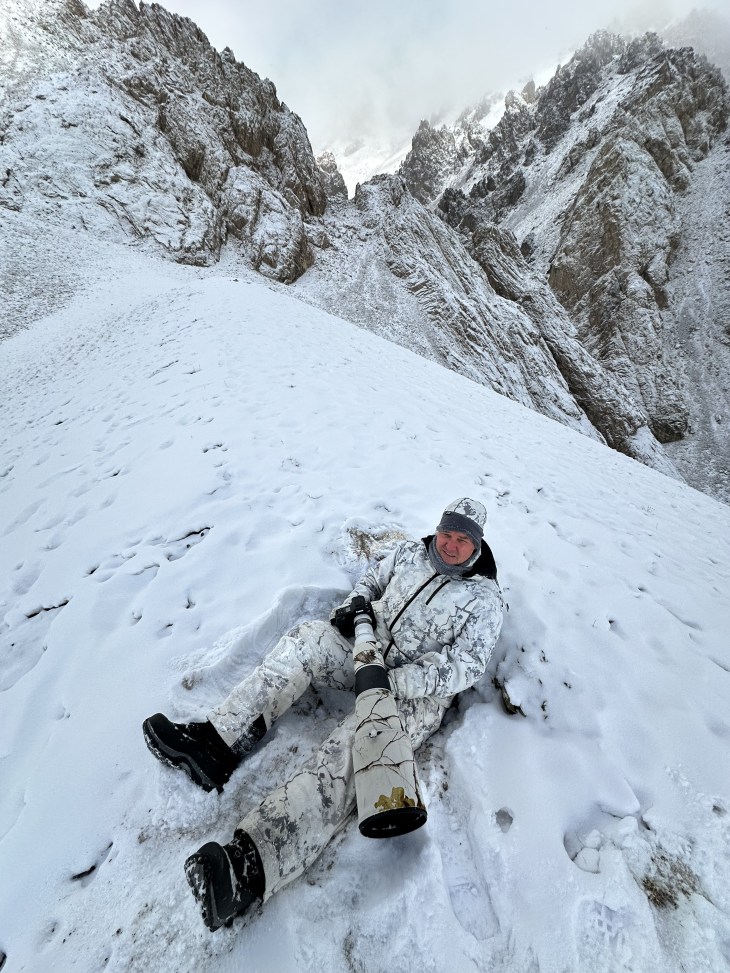
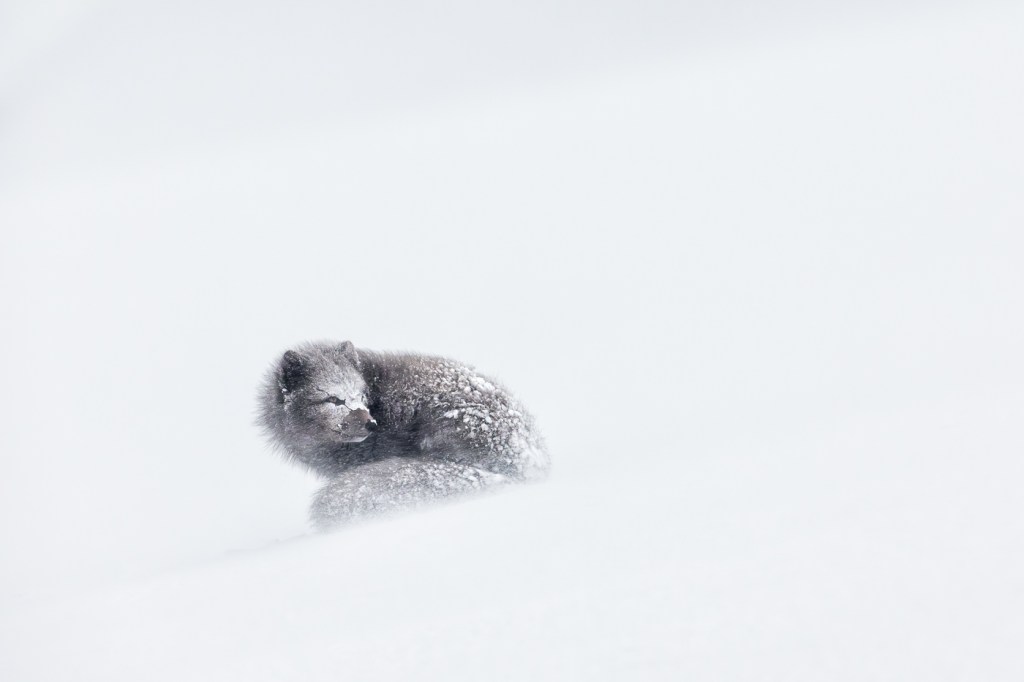
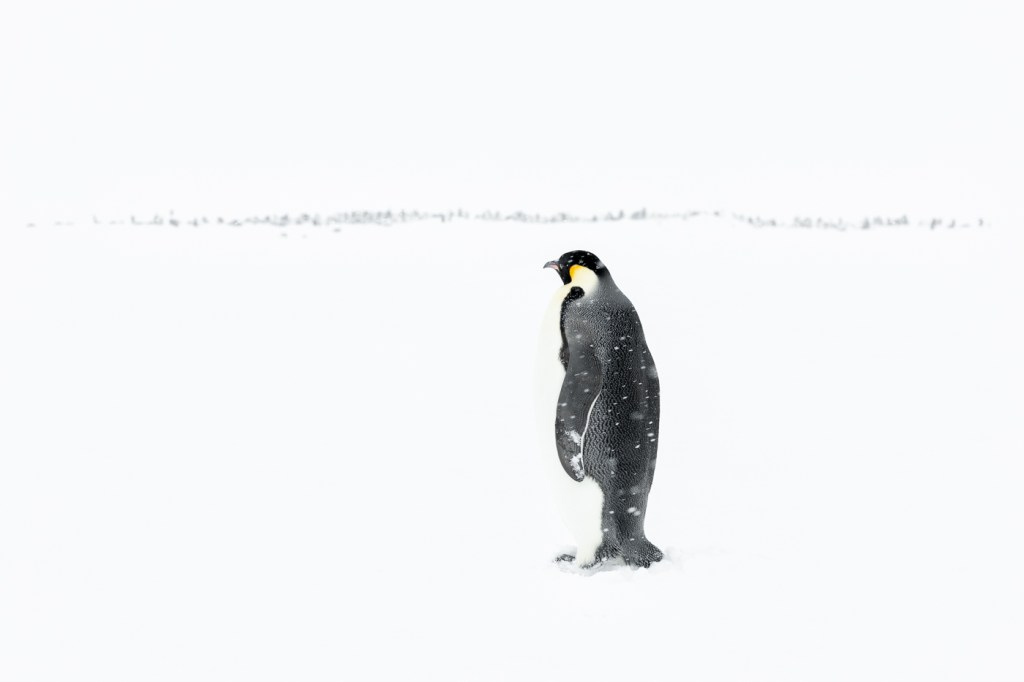
For the past eight months, I’ve been working extensively with two of Canon’s EOS R1’s—Canon’s long-awaited flagship mirrorless body—in some of the harshest and most remote environments on the planet. From the snow-blasted cliffs of Hornstrandir to the sea ice of Svalbard, the windswept Arctic Circle island of Grimsey, to the frozen sea ice deep in the Weddel sea region of Antarctica, the R1 has been at my side through thick and thin, shooting everything from high-speed Arctic foxes to cliff-dancing puffins, charging walrus bulls, stoic polar bears in whiteout conditions and majestic Emperor Penguins.

This isn’t a review based on lab tests or YouTube comparisons. This is the perspective of a full-time working wildlife and nature photographer who relies on his gear not only to create imagery but to function flawlessly in environments where failure is not an option.

Initial Expectations – When Canon announced the EOS R1, the bar and expectations were set sky-high. The promise was of a no-compromise, professional mirrorless body designed to finally go toe-to-toe with the competition in the high-speed, high-performance segment, but with Canon’s colour science, ergonomics, and reliability.

After moving to the EOS R5 MKII for lighter-weight expeditions, I found myself constantly pushing against its limitations—buffer depth, tracking inconsistencies, and durability being the most significant. The EOS R3 helped bridge that gap, but I still longed for a body that felt as bulletproof as the 1DX Mark III, with the speed and accuracy needed for unpredictable Arctic wildlife and landscapes. The EOS R1 promised that convergence. It was a long wait – And, in short, it was worth it.

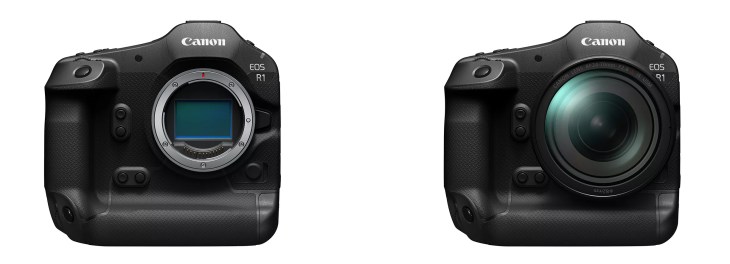
In the Hand – From the first time I picked it up, the R1 felt like an old friend. The ergonomics are classic Canon—refined, intuitive, and completely muscle-memory driven for anyone coming from the 1D or R-series. The integrated vertical grip is beautifully balanced. The magnesium alloy body is solid but not excessively heavy, and most importantly, every button is exactly where it should be—even when wearing thick gloves in -40°C temperatures.

The R1 has survived rain, snow, salt spray, sub-zero wind chill, and even a minor fall onto sea ice without missing a beat. It’s weather-sealed to a degree that gave me absolute confidence in the field—something I can’t say for all mirrorless systems.

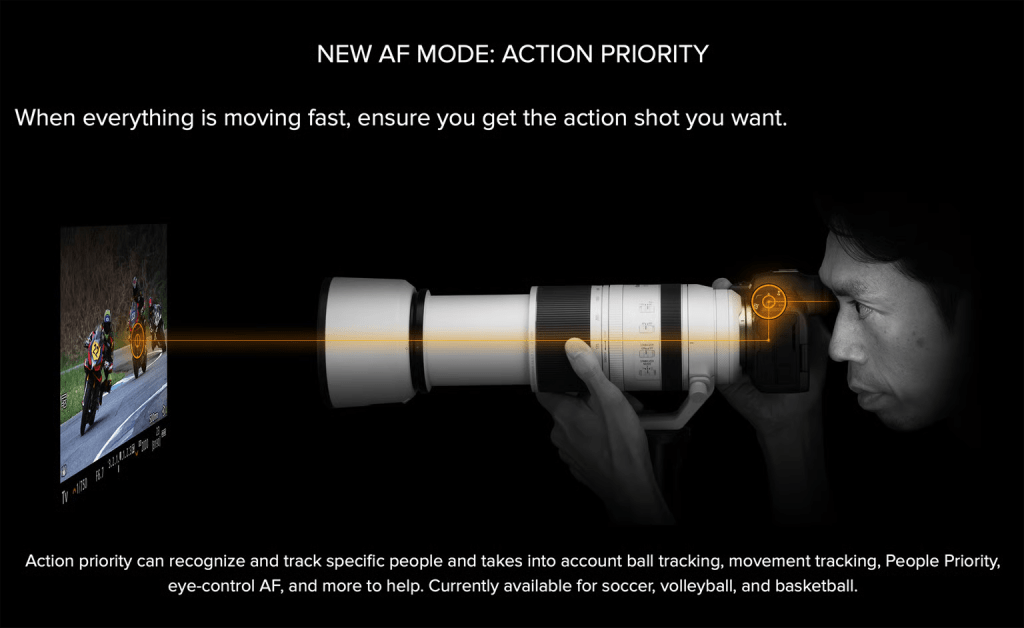
Autofocus – A New Benchmark – If there’s one area where the R1 has fundamentally changed how I work in the field, it’s autofocus. Simply put, the AF system in this camera is astonishing. I can lock onto an Arctic fox sprinting across a windswept snowfield at 40km/h and trust the R1 to not only find the eye, but to maintain critical focus through erratic movements—even when the subject disappears briefly behind foreground grasses or snowdrifts.

The deep-learning-based subject recognition has expanded dramatically. Eye tracking works almost flawlessly on mammals and birds, even in backlit or low-contrast conditions. The system now recognises a broader set of body shapes and head angles. In real-world terms, this means fewer missed frames, more keepers, and less need to second-guess the AF system. I’ve used the R1 to track puffins flying straight at me in gusting winds, razorbills launching from cliff edges, and polar bears moving through layers of blowing snow. In all these scenarios, the camera performed like a seasoned field partner—silent, responsive, and ruthlessly efficient.

There is still room for improvement, though. When shooting wildlife in falling snow with the Canon EOS R1, one of the more frustrating quirks that has emerged is the camera’s occasional difficulty in ignoring snowflakes (big or small) that pass between the subject and the lens. While the R1’s autofocus system is astonishingly fast and sticky in many conditions, its subject detection algorithms can sometimes momentarily latch onto a bright, high-contrast snowflake, especially in backlit or low-contrast scenes where the subject blends into the background (regardless of case setting). This can cause brief focus hunting or a shift away from the intended target—particularly problematic when photographing fast-moving animals like Arctic foxes or polar bears in a blizzard, where every fraction of a second counts. In heavy snowfall, the effect can compound, forcing the photographer to adjust AF case sensitivity, reduce tracking responsiveness, or switch to a smaller AF zone to help the camera “tunnel vision” on the subject. It’s not an insurmountable flaw, but in the right (or wrong) conditions, it’s enough to cost you the critical sharp frame.

The R1, as incredible as it is, cannot, as yet, ignore falling snow with the same ruthless efficiency that the 1DXMK2 and 3 could. The R1 will stubbornly grab falling snow in lieu of the wildlife to the point that it has, on occasion, forced me to switch to manual focus as in the video above. Falling snow is quite honestly the current Achilles heel of the EOS R1.

Frame Rate, Buffer, and Workflow – The EOS R1’s blackout-free electronic shutter and lightning-fast readout speed make it a dream for tracking fast action. I often shoot at 40fps in full RAW, which feels like wielding a high-speed cinema camera with stills precision. 40fps might seem excessive to some, but when you are searching for that perfect wing or paw position it is frequently the difference between getting the shot or missing it.

Critically, the buffer performance has improved dramatically over previous models. Even at full 40fps in RAW, I can shoot long sequences without any slowdown. This has been essential for capturing behaviour sequences—foxes leaping, puffins mid-flight, walruses rearing up from the surf—where timing and rhythm are everything.

Canon’s RAW format has continually proven to be the perfect balance between file size and post-processing flexibility. I’ve had no issues pushing shadows, recovering highlights, or making large exhibition prints from these files. My Lightroom workflow has remained fluid even when dealing with thousands of frames per day.

Image Quality – Resolution-wise, the R1 hits a sweet spot. At 24 megapixels, it provides the detail and dynamic range necessary for large-format fine art prints without ballooning file sizes. Colour rendering is signature Canon—neutral, nuanced, and skin tones (or fur tones, in my case) are beautifully rendered. The sensor’s performance in low light is game-changing. I’ve comfortably shot Arctic foxes in fading twilight and seabirds at ISO 25,600 with minimal noise and excellent detail retention.

I frequently shoot in high-contrast snow conditions, and the R1 allows me to retain texture in both highlights and shadows, giving more flexibility in post and fewer blown exposures in the field.

Electronic Viewfinder and LCD – One of the biggest shifts from DSLRs to mirrorless was learning to trust the EVF. On the R1, Canon has finally nailed it. The EVF is large, crisp, and incredibly responsive, with no perceptible lag even at high frame rates. Exposure and colour previews are accurate enough that I’ve stopped chimping almost entirely—I can make confident exposure decisions without pulling my eye from the viewfinder.

The rear LCD is sharp and usable even in bright daylight. I especially appreciate the ability to zoom quickly for focus checking, something essential when reviewing sharpness on Arctic fox whiskers or avian feathers in the field. I admit though, with my vision not what it used to be close up (I am 51) I almost never use the LCD screen anymore and prefer the EVF.

Silent Shooting and Minimal Disturbance – For wildlife photography—especially with sensitive species—the ability to shoot silently and discreetly is priceless. The R1’s electronic shutter is truly silent, allowing me to photograph close-range birds and mammals without introducing sound that might alter their behaviour.

Battery Life and Power Management – Battery life is excellent (although not as good as the Nikon Z9). Using the LP-E19 battery, I routinely get 4000+ frames per charge, even in cold conditions. With power-saving settings enabled and the EVF auto-switching intelligently, I rarely have to change batteries during a full shooting session. I carry three batteries for redundancy, but rarely needed more than one and a half per day—even when shooting thousands of images in a 14-hour Arctic summer day.

Lenses and Native Support – The R1’s performance is complemented by Canon’s growing lineup of RF glass. The RF 400mm f2.8 has been a mainstay for my Grimsey Island bird photography, while the RF 600mm f/4 remains my go-to lens for polar bear and fox work. I always keep an RF 70-200 or 100-500 handy on a second body for those close encounters.

The IBIS (in-body image stabilization) combined with RF lens IS gives handheld stability that’s frankly absurd. I’ve made sharp images at 1/20th of a second with the 600mm handheld—something that would have been impossible just a few years ago.

Lens performance is consistent across the board, and the EOS R1 brings out the best in these optics. I’ve seen a noticeable improvement in AF speed and accuracy compared to using these same lenses on the R5 or R3.

Video Capabilities – While I am a stills photographer first, the R1’s video features have not gone unnoticed. I’ve used the R1 to capture atmospheric B-roll—snow swirling across fox tracks, slow-motion footage of terns hovering in a gale—which has integrated beautifully into my expedition film work.

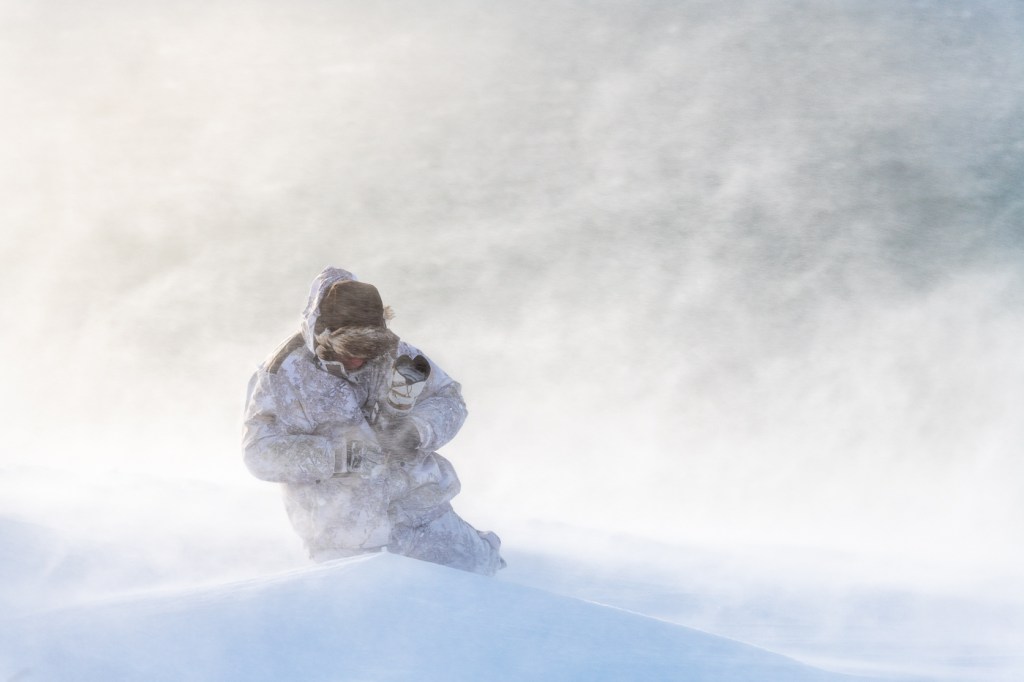
Durability and Trust – Ultimately, the most important quality in a camera for me is trust. I need to know that it will work in blowing snow, freezing wind, salt spray, and rough handling. The EOS R1 has proven itself beyond doubt. During one Svalbard expedition, I shot for more than six hours in -30°C with intermittent snow squalls and howling wind. The camera remained responsive, the battery held strong, and the sensor never failed to deliver. Another day, I took a spill on sea ice with the R1 slung at my side. It came away with a cosmetic scuff—and nothing more. That kind of reliability builds confidence. And confidence allows creativity.

What Could Be Improved – No camera is perfect. Here are a few areas where I think Canon could continue to evolve:

• Custom Mode Settings: More flexibility in assigning custom button layouts per mode would be helpful. Specifically, the ability to assign pre-capture to a multi-function button.

• Pricing: The R1 is a serious investment. While justified for professionals, it’s less accessible for serious enthusiasts.

•The Auto Focus algorithms need to do better with falling snow.

But these are quibbles, not deal-breakers. Canon has clearly built this camera with professionals in mind, and it shows.

Conclusion – After eight months of intense field use, I can say with complete confidence that the Canon EOS R1 is the most capable and reliable camera I’ve ever used. It is also the most complicated in terms of customising the set-up. Whilst not necessarily a bad thing (as it allows you to set up the camera to your personal preferences and shooting style), it does mean a step learning curve.

Arctic Fox 2020

The camera allows me to focus on my craft rather than my gear. It adapts to the unpredictable rhythm of wildlife. It empowers me to create in silence and solitude. It endures what I endure—and then some. Whether lying prone on frozen tundra waiting for a fox to approach, hanging off a cliff edge as puffins rocket past in golden light, or tracking a walrus bull charging through ice-laden surf, the R1 has delivered—frame after frame, moment after moment. It doesn’t get in the way. It just works. And when you’re working on the edge of the world, that’s everything.

Canon EOS R1 Firmware Update July 2025 Take Two

Canon Australia has this afternoon reposted the new firmware update for the Canon EOS R1.

This firmware (Version 1.1.2) includes fixes for the following issues identified in Version 1.1.0:
1. Fixes an issue where video could not be recorded correctly when using a memory card larger than 2TB with the [Pre-recording] setting enabled.
2. Fixes an issue where the camera failed to operate properly after updating to Firmware Version 1.1.0 if the still photo shooting/movie recording switch function was set to [Silent shutter function switching] or [Disable].

This firmware also incorporates the following changes introduced in Firmware Version 1.1.0:
1. Improves security features. A password must be set initially. 
•Adds the ability to review the history of any changes made to the password, network information, or other settings.
*For more information, please refer to the ‘Setting a Password’ section in the Advanced User Guide on cam.start.canon.
2. Enables firmware updates to be performed when the camera is connected to the internet and new firmware is made available on Canon servers.
3. Adds [Viewfinder Priority] mode, which activates the viewfinder when a user is detected by the rear sensor.
4. Adds the ability to automatically detect Flicker at 100 or 120 Hz during Live View display.
5. Adds the ability to register focus position as a presets on the CR-A100 Camera Remote Application. This ability makes it easier to focus on subjects at the intended distance when the application is used with Robotic Camera System CR-S700R.
6. Adds the ability to select [Panning Assist]. When users pan with compatible lenses, image stabilization and subject blur correction are applied during exposure.
7. Adds the ability to select [Case Special] to expand Servo AF characteristics which is effective for subjects located behind a net in sporting events, such as badminton or volleyball.
8. Adds support for the Software Development Assistance Kit (EDSDK/CCAPI).
9. Adds a function that simultaneously protects images when they are rated.
10. Adds the ability to use up to 8TB of CFexpress cards.
Note
– Cards larger than 8TB require low-level formatting by the camera.
– Cards larger than 8TB are treated as 8TB cards.
– Cards larger than 2TB cannot be used for firmware updating.
11. Adds to lower the image capture frame rate to help prevent overheating when connected to CR-A100 in extended remote shooting.
12. When transferring images with voice memos via FTP, the transfer order priority has now changed with voice memo (Wav) file being sent first followed by image file.
If a voice memo is added to an image queued for transfer, the image and voice memo are now sent last.
13. Adds the ability to set the number of shots captured in pre-continuous shooting mode.
14. Adds the ability to set [Airplane mode] to shooting button customization.
15. Adds the ability to enable [Exposure Simulation] when a flash unit is attached.
16. Improved AF tracking during video capture for subjects that are difficult to focus on.
17. Fixes an issue in which Err70 may occur when enlarging an image after shooting with [Blackout-Free Display] set to “On” and [Servo 1st image priority/One-Shot AF release priority] set to “Release priority”.
18. Fixes an issue in which Err70 may occur during Bluetooth communication due to interference from other Bluetooth devices.
19. Fixes an issue in which Err70 may occur when repeatedly shooting in the “High-speed continuous shooting +” mode.
20. Fixes an issue in which Err70 may occur immediately after startup when shooting with the electronic shutter.
21. Fixes an issue in which Err70 may occur during video recording in “FHD239.8P/200.0P”.
22. Fixes an issue in which Error 70 may occur while filming in video mode with frame rate set to “50.00P” and [Movie Digital IS] set to “On” or “Enhanced”.
23. Fixes an issue in which Err70 may occur during shooting when both [Pre-recording] and [Auto send] to image.canon are set to “Enable”.
24. Fixes an issue in which the camera may stop functioning properly when [Image Review] is set to “Off” and the monitor entered low brightness mode after pre-continuous shooting.
25. Fixes an issue in which video recording may not be possible when using Remote Live View shooting in EOS Utility while outputting via HDMI.
26. Fixes an issue in which large RAW image files may not be transferred via Camera Connect.
27. Fixes an issue in which the camera may not connect to Wi-Fi 7-compatible routers.

If you are considering updating to the latest firmware, I recommend waiting at least two weeks in case any further issues are detected. Unless you have an urgent need for password protection, its always prudent to wait a bit on firmware updates.

Canon EOS R1 Firmware Update 1.1.0 July 2025

Canon has today released new firmware for the EOS R1. The firmware is now available to download from Canon Japan. It will propagate to other Canon sites throughout the day. There are a number of interesting new features, but unfortunately, the capability to bind pre-capture to a MFN button is not yet amongst them (clearly the Canon Engineers did not get the memo!). Canon EOS R1 Firmware v1.1.0 includes the following changes:

  • The security function has been improved.
  • A password can now be requested when the power is turned on.
    • You will need to set a password the first time.You can change the settings so that the password request screen does not appear.You can check the history of password changes, network information changes, etc.
  • You can now update the firmware on the camera alone by downloading it from the Internet.
  • A “finder display priority mode” has been added, which turns on the viewfinder when the camera’s rear sensor detects a person. 
  • 100/120Hz flicker can now be automatically detected during live view.
  • It is now possible to register the focus position in the preset function of the camera remote application CR-A100. When used with the Robotic Camera System CR-S700R, this makes it easier for the photographer to focus on the intended subject distance and take pictures.
  • Added [Panning Assist] to the menu. When panning with a compatible lens, camera shake correction and subject blur correction are performed during exposure.
  • The servo AF characteristics have been expanded to include [Case Special], which is suitable for shooting subjects through a net, such as badminton and volleyball.
  • Added support for the digital camera software development support kit (EDSDK/CCAPI).
  • A function has been added that allows you to protect an image at the same time as rating it.
  • Supports CFexpress cards up to 8TB.
    • Cards over 8TB require a low level format in the camera.
    • Any card over 8TB will be treated as an 8TB card.
    • Cards over 2TB cannot be used for firmware updates
  • A setting has been added to lower the image capture frame rate to prevent heat generation when connecting the CR-A100 and taking remote shots over long periods of time.
  • When transferring images with voice memos via FTP, the order of transfer has been changed to voice memo, then image. Also, if a voice memo is added to an image waiting to be transferred, the image and voice memo will be transferred last.
  • The number of shots recorded during pre-continuous shooting can now be set in single increments.
  • [Airplane Mode] has been added to the shooting button customization.
  • It is now possible to simulate exposure when using a strobe.
  • AF tracking performance has been improved for subjects that are difficult to focus on when shooting video.
  • Fixed an issue that could cause Err70 to occur when enlarging the display after shooting with [Blackout Free Display] set to “On” and [Servo AF 1st Frame Release/One-Shot AF Release] set to “Release Priority.”
  • Fixed an issue where Err70 could occur during Bluetooth communication due to interference from other Bluetooth devices.
  • Fixed the phenomenon that Err70 would very rarely occur when repeatedly shooting in “High-speed continuous shooting +”.
  • Fixed the phenomenon that Err70 would very rarely occur when shooting with the electronic shutter immediately after starting up the camera.
  • Fixed the phenomenon that Err70 occurs very rarely when recording video with the “FHD239.8P/200.0P” setting.
  • Fixed an issue that occasionally caused Err70 to occur when using the camera in movie mode with the frame rate set to “50.00P” and [Movie Digital IS] set to “On” or “Strong.”
  • Fixed an issue that could cause Err70 to occur while waiting to shoot when [Pre-recording] was set to “On” and [Auto Transfer] to image.canon was set to “Yes”.
  • Fixed an issue that could cause the camera to stop working properly if [Review] was set to “Off” and the monitor displayed a low brightness image after taking pre-continuous shots.
  • Fixed an issue that could cause video recording to be impossible when using remote live view shooting in EOS Utility with HDMI output.
  • Fixed an issue where large RAW images could not be transferred via Camera Connect.
  • Fixed the issue of being unable to connect to a Wi-Fi 7 compatible router.

Download firmware v1.1.0

Canon EOS R1 Field Report A Wildlife Photographers Perspective

As I hinted at in yesterday’s podcast, Canon Rumours has now posted my extensive field report on the Canon EOS R1 from my time in Antarctica, photographing Emperor Penguins earlier this month (December 2024).

Canon EOS R1 Field Report from Antarctica: A Wildlife Photographer’s Perspective

Backstory: I have been a full-time professional Nature and wildlife photographer for almost thirty years (www.jholko.com). I have specialised in Polar and sub-polar photography and have made over 100 expeditions to both the Arctic and Antarctic. I have owned and shot nearly every single 1-series Canon Camera since the original EOS 1n and EOS 1n RS. I resisted the shift to digital for many years (I was in love with transparency film then) and only committed to digital cameras when the original EOS 5D was released. The instant feedback from the histogram made me an immediate convert, and I sold off my film cameras shortly thereafter. After the 5D, I owned and shot the EOS 1D MK3, Mk4, 1DS MKII and MKIII and the 1DX MKI, MKII and MKIII. I still own an EOS R5 and EOS R5 MKII (although I rarely use them) and owned and shot two EOS R3’s from their release until I purchased and took delivery of two of Canon’s new EOS R1 flagship cameras a month or so ago (the first delivered in Australia). I purchased all of these cameras with my own money. Although Canon has supported me for many years in various ways, they have never gifted me cameras or lenses. Nor have I ever asked them for free equipment. We have a professional business supplier relationship, and I prefer to keep it that way.

This report isn’t a full review of the Canon EOS R1. There are plenty of those online, and the world doesn’t need another. Nor is this meant to be a performance review of everything the R1 is capable of. Rather, this is a field report on my experiences and impressions shooting with the EOS R1 and how it performed for my needs in one of Earth’s most remote and hostile places.

For nature and wildlife photographers, the Canon EOS R1 represents a quantum leap forward in technology. The camera enables the photographer to successfully capture images that were either impossible or extremely difficult beforehand. This enabling is primarily due to the combination of pre-capture, phenomenal high ISO performance, and the 40 fps RAW shooting offered by the EOS R1. However, the story runs much deeper than just pre-capture, ISO performance, and frame rate, and some context is necessary to better understand this report.

I recently returned from a two-week (early December 2024) extreme camping expedition on the frozen sea ice of Gould Bay in the Weddell Sea region of Antarctica. To the best of my knowledge, this was the first time anyone had taken Canon’s new flagship EOS R1 to Antarctica, and it was undoubtedly the first time anyone had photographed Emperor Penguins on the frozen sea ice with the camera. This expedition aimed to photograph Emperor penguins and their young chicks at the world’s most southerly colony before the colony disbanded for the season and went to sea. The timing of the expedition was early December, which proved ideal as the chicks were off their parent’s feet and highly active in the colony. This timing provided plenty of action and the ideal hostile environment to field test Canon’s new flagship camera.

I should preface this article further by stating that my experience and opinions are based on actual real-world usage. For over a week, I camped in a tent on the frozen sea ice at Gould Bay, deep in the Weddell Sea region of Antarctica. To access this location, I flew by private charter plane from Chile to Union Glacier deep in Antarctica. I then took another charter Basler aircraft another three hours out onto the frozen sea ice at Gould Bay. Here, we established a camp on the sea ice from which I would walk the roughly two-kilometre return route across the ice to the main colony daily. At this time of year, and this far south, the sun remains high, providing 24-hour daylight to photograph. Typically, I chose to photograph at night when the sun was lower, and the light was soft and ethereal. Overcast days were preferred as bright sunny days result in overly strong contrast and an extreme dynamic range that blows out the white feathers on the penguins. The sea ice of Gould Bay is about as remote and extreme a location as to be found anywhere on Earth. It was the perfect testing ground for the new flagship EOS R1. These are my opinions after a real-world expedition (not a zoo visit or Nature walk). Based on this experience with the EOS R1s on sea ice, I can confidently report that this camera is a game-changer for wildlife photography in extreme environments.

Build Quality, Durability and Ergonomics

The EOS R1 is built like a tank. Like all of Canon’s 1-series cameras, it feels as if you could hammer nails with it. Years ago, with near-frozen fingers, I dropped a 1-series from the open door of a helicopter as I was coming in to land at Fox Glacier in the South Island of New Zealand. The camera bounced across the rock-hard ice before coming to rest in a small melt pool. On landing (and after some swearing), I retrieved the camera, screwed a lens on it and went straight back to photographing the ice formations. Other than a few cosmetic knocks, the camera never missed a beat. While I have not dropped the EOS R1 from a helicopter, I accidentally dropped it on some glacial ice in Antarctica from eye level while fumbling with my phone. Other than some choice words at the time, no damage was done. While I would never advocate deliberately dropping any camera, the EOS R1 does match up with its ancestors in build quality and durability, and not much more needs to be said. It is quite literally built for a warzone. The EOS R1 is undoubtedly the toughest tool in Canon’s arsenal and the ideal camera for any unforgiving environment. I would not hesitate to take this camera anywhere for any assignment or project.

On the Antarctic sea ice, where temperatures can plummet well below freezing, the magnesium alloy body and weather-sealing performed flawlessly for the duration of the expedition. Despite heavy snow, strong winds, and exposure to saltwater spray, the cameras never faltered. Although I have yet to test them, there is no reason to believe that the EOS R1s will not perform equally well in extremely hot and humid environments. I found the new textured rubber on the EOS R1 to be a small improvement over the EOS R3 and 1DXMK3. The difference in the hand is subtle, but the camera feels solid in the hand (even with gloves on). In practical use, I didn’t notice the slight increase in weight over the EOS R3.

I have long maintained that camera ergonomics are significantly more important than megapixels. If a camera’s controls do not fall intuitively under the fingers, then the photographer is going to struggle with making quick, creative changes on the fly. When this happens, the photographer is going to have to stop thinking about the subject in front of them and start thinking about how they are going to make the required changes to the camera’s settings. In other words, they will have to work as a technician rather than an artist. In my experience, it is vital to free up your brain in the field from the limiting constraints of the camera’s controls so that you can work freely and creatively as an artist. The moment you have to stop in the field and think about what you are doing ‘technically’ with the camera is the moment you are no longer being creative. Many photographers never reach this point as they upgrade their cameras too often and never learn to master the tools they already own. Learning to work the camera’s controls with muscle memory is a critical skill that will improve your photography without bounds. One of the keys to mastering your camera’s controls and developing muscle memory of your camera’s controls is how you interact with your camera’s ergonomics.

I have large hands and find that the buttons on the EOS R1 fall naturally under my fingers without the need to stretch or reach and without having to think about where my fingers fall on the camera. Camera ergonomics are highly personal and much depends on your hand size and personal preferences for button location. In my case, the EOS R1 is perfect for my hand size, with the buttons falling naturally under my fingers. If you are considering adding an EOS R1 (or any new camera) to your equipment list, I encourage you to test drive first to see how the ergonomics work for you. By comparison, I find the buttons on both my R5 cameras to be too close together, and I struggle with these cameras as a result (especially with gloves on). It is also why I dislike Sony cameras. The buttons are too small and placed too closely together for my sized hands. The ergonomics of Sony cameras don’t work for me, making them a non-starter.

Image Quality

The R1’s 24MP full-frame sensor delivers stunning detail, dynamic range, and colour fidelity. Emperor penguins are a challenging subject, with their striking black-and-white contrasting feathers, subtle colour tones and finely detailed feathers. The R1 rendered these nuances beautifully, capturing the ultra-fine texture of their feathers and the delicate yellow gradations of their upper feathers. High ISO and IBIS performance were another standout feature, allowing me to shoot handheld when I wanted to slow shutter speed without sacrificing image quality. This expedition was not the best test for high ISO performance with 24-hour daylight and highly reflective ice and snow. It was never necessary to set the camera to anything more than ISO400. If you are interested in the high ISO performance of the R1 I encourage you to read the detailed article I wrote on how this camera performs and how it sets a new standard for high ISO performance.

Canon EOS R1 – Canon EOS R5 MKII Noise Reduction Pre-sets

Although I have no scientific data to back this up, there appears to be a purity and depth of colour to the EOS R1’s 14-bit RAW files that I have only seen before in much more expensive medium format files. I have not done direct side-by-side testing and base this opinion on decades of user experience with Canon cameras in the Polar regions. I would need to do significant side-by-side testing to verify if there is a quantifiable scientific improvement. Nevertheless, there appears to be an improvement in colour purity in the new 14 bit RAW files. YMMV.

Autofocus and Speed

One of the most critical aspects of wildlife photography is autofocus performance, where the R1 truly excels. The new AI-powered Dual Pixel CMOS AF II system can lock onto a penguin’s small black eyes against their black feathers even as they waddle across uneven ice or huddle together during low visibility and snowfall conditions. This is an extremely difficult task, as the black eye of the Emperor penguin is extremely small and virtually indistinguishable from the black feathers that surround it. With the camera set to AI Servo and eye tracking turned on, the tracking was near-flawless, even with small chicks partially obscured by adults or driving snow. Only once did I make any adjustment to the focus tracking during heavy snowfall when I found it necessary to shift the Autofcous to being more ‘locked-on’ to avoid it grabbing the falling snow. Shooting at 40 fps with the electronic shutter allowed me to capture penguins interacting together and never miss the decisive moment. 40 fps, whilst excessive in many situations, does give the photographer the ability to pick the decisive moment during the editing process. The addition of Pre-capture ensures nothing is missed. ‘I wasn’t quick enough on the shutter’ is no longer a valid excuse.

Battery Life

Battery life was another area where the R1 excelled. Even in sub-zero conditions, where battery performance typically suffers, I could shoot for three days and put more than 4000 images on my memory card before the camera called for a new battery. For a multi-day expedition on the sea ice, in freezing conditions, this battery performance was invaluable. Over the course of the entire week’s shoot on the sea ice, I only changed the battery once in each camera. That is phenomenal performance. I did shoot some video over the course of the week, but my emphasis was on stills. I expect battery life will vary with extensive movie shooting.

Movie Shooting

Although I shot small video snippets while in Antarctica, I want to be clear that I am not a videographer and am very much a stills-only photographer. Video shooting was confined to small 4K High Frame Rate snippets that I transferred to my phone on location with the Canon Camera Connect app to share with family and friends. Nevertheless, I was impressed with the video quality and features of the R1. Dedicated videographers will no doubt already know if the R1 is fit for their purpose.

Usability

The R1’s control layout and interface are intuitive and highly customisable. With gloves on, the buttons and dials were still easy to operate. However, you must choose gloves carefully to maintain the back-button focus’s touch capability. It has been my experience that many touch-sensitive gloves do not work with the Canon touch-sensitive AF button. I recommend you try any gloves before you buy. I found a pair of 66º North touch liner gloves that worked best after trialling over a dozen different types of gloves.

The new EVF provided a clear, natural viewing experience crucial for tracking fast-moving subjects. Although penguins move slowly on land, I appreciated the bright viewfinder when tracking the much faster-moving South Polar Skuas. Historically, I have always preferred optical viewfinders over electronic. The R1 is the first camera I have used where the electronic viewfinder is as good as a high-quality optical viewfinder, such as that found in the 1DX MK3. I have never been a fan of articulating LCD screens, but confess the screen was useful for shooting from low angles.

Weather-Sealed Lenses

Pairing the R1 with Canon’s RF lenses, such as the RF 14-35mm f/4, 600mm f/4 and RF 70-200mm f/2.8, provided a lightweight and weatherproof kit ideal for the Antarctic environment. The optical quality of these lenses complemented the camera’s sensor, delivering edge-to-edge sharpness, ultra-fine detail in the penguin feathers and creamy bokeh in portraits of penguins.

A Word on Megapixels

There has been much scuttlebutt online about the EOS R1’s 24-megapixel sensor being insufficient in today’s world. In my experience and line of work as a Nature and wildlife photographer, 24 megapixels is more than sufficient. Anything over 24 typically becomes a storage headache for the tens of thousands of images I shoot annually.

Throughout my career, I have frequently made and sold prints as large as 40 x 60 and 60 x 90 inches from 24-megapixel files, and not once in more than thirty years have I ever had a client say to me that they wish the print had ‘more resolution.’ Outside of bragging rights, the usage case for more than 24 megapixels is extremely small. Anything online requires no more than eight megapixels, and social media (where the majority of photographs seem to end up these days) doesn’t even need that. Making a book? 10-14 megapixels has you more than covered for all but the largest table books. To my mind, the only actual argument for more than 24 megapixels is cropping power, and typically, it has been my experience that if I need to crop that heavily, then it probably was not a very good photograph, to begin with, and I should probably move on to a different image.

It is also important to remember that the way we consume photographs is not at 100% magnification on a screen (that is how we pixel-peep them) but scaled to the resolution of the display device we are viewing them on. Twenty-four megapixels was, to my mind, the perfect choice for the Canon EOS R1 as it provides all the resolution photographers need in combination with incredible high ISO performance. For those who still feel they ‘need’ more resolution then Canon offers the EOR R5 MKII. You can have your cake and eat it, too.

In my recent testing and development of the EOS R1 (and R5 MKII) Noise Reduction pre-sets, I concluded that the EOS R1 has a realistic, workable high ISO limit of 25,600. This incredible performance would not be possible if the camera had a higher megapixel sensor. Sure, you can pixel bin a higher-resolution file to reduce the noise, but then what was the point of the extra resolution if you are just going to throw it away anyway?

Canon EOS R1 – Canon EOS R5 MKII Noise Reduction Pre-sets

Areas for Improvement

While the R1 is close to perfect, there are a few areas where I’d love to see refinement. The menu system, though improved, still feels dense, and it took time to navigate certain settings. The learning curve is steep (especially if you also shoot video), and this camera will likely be intimidating to the newcomer. Additionally, the inability to directly assign pre-capture to a multi-function button is a current limitation, easily rectified by a future firmware update. My workaround was to assign pre-capture to the custom shooting mode ‘C-1’. Although this is easier to access than ‘My Menu’, it still takes more than one button press and is thus sub-optimal. Wildlife photographers will want and need to turn pre-capture on and off quickly (and frequently) and the ability to assign this function to a multi-function button would be ideal. Other than that small niggle, I found nothing wanting in the R1’s performance. It is as close to perfect and fit fur purpose as I have yet experienced for wildlife and nature photography.

Conclusion

The Canon EOS R1 is a dream camera for nature and wildlife photographers. Its rugged durability, cutting-edge autofocus and exceptional image quality (even at high ISO) make it ideally suited for extreme environments like the Polar regions. The addition of pre-capture and 40 FPS RAW ensures you will never miss the action.

This report reflects my experiences with the camera’s capabilities photographing Emperor Penguins in the unforgiving conditions of Antarctica and showcases its strengths in wildlife photography in harsh environments. In early January of next year, I will take both EOS R1 cameras to the far east and west of Mongolia on two back-to-back wildlife trips for Pallas Cat and Snow Leopard. Temperatures this time of year will be well below -20º Celsius and could dip as low as -40º. I have no doubt the EOS R1 will handle this with aplomb.

Canon EOS R1 Firmware 1.01 Update December 2024

Canon has released new firmware for the EOS R1. The firmware is primarily bug fixes. New features are not expected before Q1 2025 at the earliest. Personally, I want the ability to assign pre-capture to one of the multi-function buttons (hopefully early next year). Update includes:

  1. The Wi-Fi connection status is now identifiable by the colour of the [FTP Transfer Icon].
  2. Adds [Protect Images] and [Rating] during FTP Transfer.
  3. Adds the ability to change [Custom Shooting Mode] while writing images to the media (BUSY).
  4. Fixes an issue in which the camera may become inoperable if a lens that does not communicate with the camera is attached when repeatedly shooting while using HDMI output.
  5. Fixes an issue in which the camera may become inoperable if an image is cropped while other images are being transferred to an FTP server.
  6. Fixes an issue in which Err70 may occur when using an application software such as Camera Connect, and the load on the smartphone increases.
  7. Fixes an issue in which image stabilization may become unstable in movie mode when panning diagonally while using some stabilization rigs (such as monopod or handheld rigs).
  8. Fixes an issue in which all images may not be copied when copying multiple selected images in the camera.
  9. Fixes an issue in which another manufacturer devices (such as strobe or remote camera trigger) may work during pre-continuous shooting.
  10. Fixes an issue that may, immediately after shooting, cause the screen to take a long time to turn off when using a button that has been assigned the “Screen off” function.
  11. Fixes an issue in which Look File settings may apply to multiple custom picture files.
  12. Fixes an issue in which the AF frame movement may not be smooth when several shooting information items are displayed and the multi-controller is operated.
  13. Implements a fix to include custom pictures when saving camera settings.
  14. Improves operation stability during network communication.

Download Canon EOS R1 firmware v1.0.1 on the Camera Connect app or Canon HK