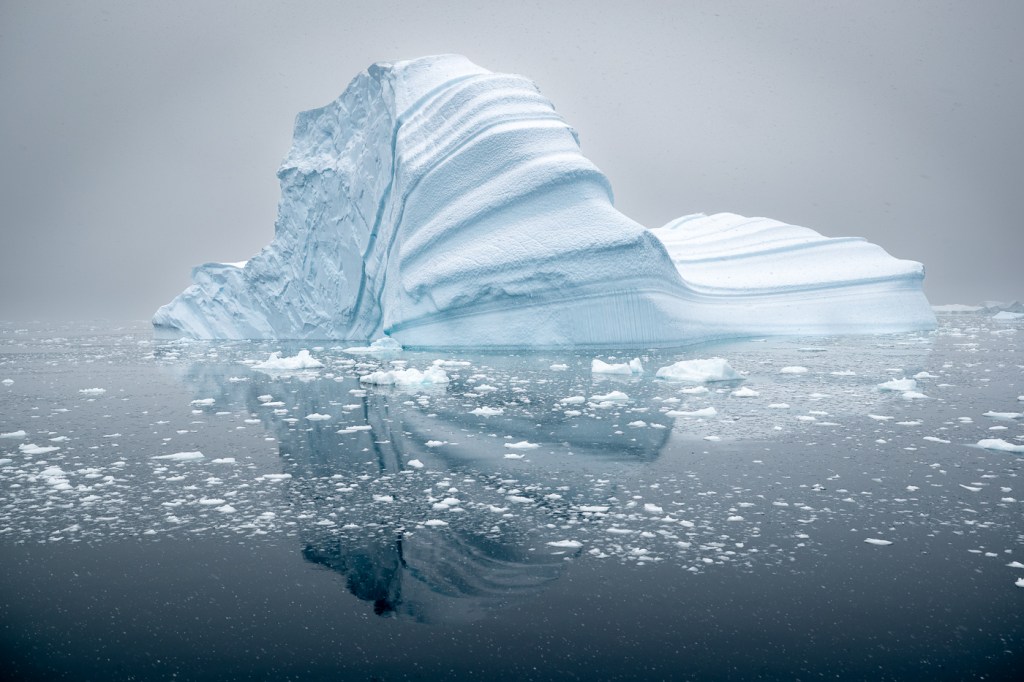
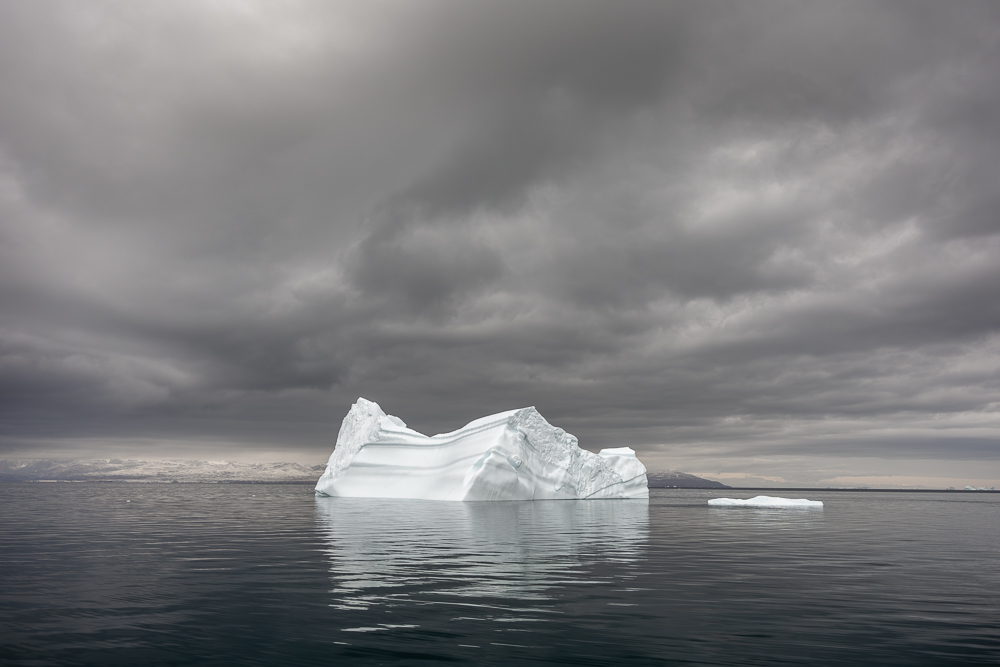
The photograph of the month for December 2025 comes from one of my more recent expeditions to Greenland and is of a wonderfully sculptured iceberg under heavy skies. These are my absolute favourite conditions for photographing icebergs, and the Scoresby Sund region of Greenland (where this was taken) offers the best opportunities in the world for this kind of landscape photography. Processing these photographs is always somewhat of a challenge, requiring just the right amount of finesse to extract the right amount of detail in the highlights, whilst maintaining just the right tonalities across the entire range. This is the final photograph of the month for 2025 before we roll into 2026. If time permits, I may do a bit of a retrospective post on my selection of the year’s twelve best photographs.
Thank you to those of you who have continued to write with such positive feedback on the Lightroom Noise Presets I have developed. This morning I received another positive email I wanted to share: “Hi Joshua, after some time using the new presets, I must say they really work magic and enhance my images so nicely. really happy with the purchase. thanks again. Gaetano”
We have not run a special on the presets for Black Friday, but if you are interested in two more of the presets, please contact me for a package price. A reminder, if you already own the existing Canon EOS R1 legacy pre-sets, you are entitled to a discount code of 50% off the new A.I Presets. Shop all presets HERE.
Lately, I have been pondering the nature and real value of photographic competitions. Over my career, I have been fortunate to win and place in a great many photographic competitions, both national and international. But what does this really mean? Does a ribbon, trophy or a certificate, often granted by a panel of judges whose tastes may or may not align with mine, truly measure the worth of an image, or the depth of the moment in which it was created? Does it reward the photographer for how hard they worked in the field? The more I reflect on it, the more I question whether photography can ever be meaningfully ranked. After all, when an art form is rooted in emotion, interpretation, and personal experience, can it genuinely be distilled into points, scores, and placements without losing something essential along the way?
Photography has always lived in a curious space between art and documentation, between personal expression and universal communication. It is a medium built on interpretation, emotion, and perspective and not on quantifiable metrics or objective truths. Yet in recent years, photography competitions have multiplied (mostly as business ventures designed to make money), and with them, the idea that photographs can be ranked, scored, assigned points, and declared winners or losers. This trend raises an essential question: Should photography ever have been turned into a competitive sport in the first place?
For many, I suspect, the answer is no. Photography, by its very nature, resists the reductive frameworks of competition. It is not a discipline that benefits from podiums or score sheets. And more importantly, most competitions rely on judging panels that are frequently unqualified, or, at the very least, unprepared to meaningfully evaluate the depth and diversity of the work presented to them. Just imagine a judge who specialises in pet photography who has never been to Africa sitting down to judge your work of a lioness on the hunt. How would that feel when you have worked as a professional African wildlife photographer most of your life? What qualifications, or perhaps more importantly, what real-world experience do they have to judge your photograph?
The core problem is simple: photography is in the eye of the beholder, and the beholder is always shaped by subjective experience.
Art begins where scoring ends. A photograph is not a race, a timed event, or a measurable physical feat. It cannot be judged by speed, distance, or efficiency. It is not chess, where logic and mastery follow strict rules. A photograph (like a painting) is a translation of how someone sees the world, or how they want you to see it. To declare that one person’s vision is “better” than another’s is an act rooted in personal preference, cultural bias, and aesthetic conditioning.
Two people can stand before the same image and see two entirely different things: One may see a technical flaw, the other an emotional truth. One may see a messy composition, whilst the other sees a moment alive with movement and chaos. Who is correct? Who decides? And on what authority and on what experience?
Photography defies objectivity. Its impact varies with the viewer’s life experience, cultural background, emotional disposition, and even mood in the moment. Unlike sports, where the outcome is indisputable (the fastest runner always wins), art has no universal measurement of merit. Once we acknowledge that photography is inherently subjective, treating it like a competitive sport collapses under its own contradictions.
At the heart of most photography competitions lies a judging panel, and the judges are not qualified – and that matters. These judges hold the power to validate, dismiss, promote, or sideline a photographer’s work. Yet in many cases, the individuals chosen to evaluate images lack the experience, artistic depth, or cultural literacy needed to understand the work before them (sorry, judges, but it’s almost universally true). The majority of competitions rely on: Local camera club judges with limited real-world experience; Retired hobbyists unfamiliar with contemporary work or lacking professional experience; Industry personalities whose fame comes from social media rather than expertise; Editors or curators viewing thousands of entries in a rush; Sponsors or brand representatives with commercial rather than artistic priorities. The reality is stark: many judges are simply not qualified to critique a wide range of photographic styles.
A wildlife photographer may be judged by someone whose experience lies entirely in portraiture. A fine-art landscape photograph could be dismissed by someone who values saturated colours and hyper-sharp detail over subtle tonal work. A minimalist, contemplative image may lose out to a flashy, oversaturated one because a judge equates loudness with impact. And perhaps most troubling: competitions often favour what is fashionable rather than what is meaningful. If the judges lack breadth of experience, depth of knowledge, or the ability to appreciate artistic nuance, then the judging becomes arbitrary. Nothing more than a reflection of personal taste disguised as authority. This is evidenced again and again in judging panels by the rampant overuse of the word ‘I’. ‘I’ like it because, “I” dislike it because etc.
You do not have to look far to realise that Competitions Reward Formula, not Vision. When photography becomes competitive, it becomes predictable. Competitions, especially large public ones, tend to reward: Loud colours, Dramatic lighting, Easily digestible narratives, Familiar compositions, Trendy editing styles, Images with “shock value”, Photographs that look like past winners.
This creates a loop in which photographers shape their vision to win, not to express, and not to grow as artists. It fosters a culture of serial entrants who deliberately photograph in a particular style or with a specific approach for the sole purpose of entering a competition to try and win. The same types of images will inevitably rise to the top year after year. The subtle, the unconventional, the abstract, the brave, and the deeply personal often go unnoticed. Great photography frequently breaks rules. Competitions, however, enforce them. Innovation rarely wins awards because innovation is often misunderstood. And misunderstood work is almost always rejected by judges who are unwilling, or unable to engage with it on a deeper emotional level. To have any semblance of relevance, competition would require a panel of lifelong category-experienced judges willing to let go of the conventional, who can step away from their personal biases and who are willing (and capable) of engaging with each individual photograph on an individual emotional level. Such a judging panel simply does not exist.
Competition also encourages conformity and ego, not growth. Art flourishes in an environment of curiosity, experimentation, and vulnerability. When photography becomes competitive, something changes: Photographers stop taking risks. They begin shooting for approval rather than expression. The desire to win overshadows the desire to grow. Criticism becomes a threat rather than a learning opportunity. And this is the big one for a great many: The joy of creation becomes tied to external validation. That’s nothing more than ego folks.
Worse, competitions fuel unhealthy comparisons. A photograph that resonates deeply with its creator might receive a low score and be labelled mediocre by someone whose preferences have no bearing on the artist’s intent. For emerging photographers, this can be soul-destroying. For established photographers, it can distort direction. For everyone, it can turn a soulful craft into a sport of ego.
Photography is a human experience, not a contest, and it is not about winners. It is about connection to place, to subject, to emotion, to memory. It is about translating the world as we see it into something others can feel. It is about storytelling, presence, and perspective. A competition cannot measure: the silence of a moment, the trust between photographer and subject, the meaning behind the image, the effort, difficulty and courage it took to make it, or the emotion it evokes in someone who needs it. These things cannot be scored. They can only be experienced. Photography is at its best when it is a conversation, not a contest. When it invites reflection rather than comparison. When it opens doors rather than builds hierarchies.
The illusion of objectivity creates the myth of “The Best” in photographic competitions, and that is a very bad thing. When judges declare a winner, they present the outcome as if it reflects some universal truth: this photograph is better than all others. But what they are really doing is announcing their personal preference, shaped by their personal experiences, within the narrow confines of a specific moment. There is no “best” photograph. There is only the photograph that resonated most with a particular judge on a particular day. Meanwhile, some of the greatest images in photographic history were ignored, rejected, or misunderstood when first created. Recognition came later, often decades later, from an audience ready to hear what the work had to say. Competitions do not determine greatness. Time does. Culture does. Human emotion does.
The true value of photography lies outside the competitive model. Photography’s greatest gift is its ability to deepen our relationship with the world. It teaches us to see to really see and potentially see something in a new way. The adage is true: ‘Don’t show me what it is. Show me what else it is.’ Photography encourages patience, empathy, attentiveness, awareness, and connection. Photography is a vehicle to personal expression, emotional release, storytelling, discovery, exploration and the preservation of memory. These are all human experiences, not competitive ones. When we remove competition, photography returns to its essence. It becomes intimate again. Authentic. Curious. Brave. Free.
Photography belongs to everyone, and not to judges or a judging panel. Photography should not be treated as a competitive sport because it was never meant to be measured, ranked, or scored. It is an art form rooted in individuality, not conformity; in expression, not judgement; in emotion, not points. Competitions may have their place: as a learning experience, as entertainment, as community activities, as marketing tools (I have used them that way myself). But let’s be crystal clear that they cannot define the value of a photograph, and they should never define the value of a photographer. At its heart, photography is about what we feel when we create and what others feel when they see. And feeling cannot be judged. It can only be shared. When we let go of competition, we make space for what truly matters: authenticity, growth, curiosity, connection, and the thrill of seeing the world anew. Photography belongs not to judges, but to the beholder. To every beholder. And that is precisely as it should be.
Canon has today released new firmware for the Canon EOS R1. Unfortunately, (rant warning) they still have not included the capability to bind pre-capture to an assignable button. A year on from the camera’s release, this really isn’t good enough – in fact, it’s borderline unforgivable. Yes, I know you can assign pre-capture to a custom shooting mode, but that is not the same. Even the newly announced Canon EOS R6 MKIII has this capability. At this point, the cynic in me would say that Canon will offer this capability in the EOS R1 MK2 in a few years’ time…. hrm….. Or perhaps I just need more coffee……
Firmware Version 1.2.0 incorporates the following enhancements and fixes: 1. Adds support for the EOS Multi Remote, a remote shooting system for professional photographers. For an overview and specifications of EOS Multi Remote, please refer to the Canon website: https://ssw.imaging-saas.canon/app/app.html?app=emr 2. Fixes an issue in which image transfers to an FTP server may fail, displaying Err41. 3. Fixes an issue that, in rare instances, may prevent certain CFexpress cards from being formatted in the camera. 4. Improves other system stability.
We have just one single place remaining next year on our October South Eastern Greenland Ice Gems workshop. This is the workshop for you if you have ever wanted to photograph the incredible and awe-inspiring icebergs and landscapes of Greenland, but you don’t want to live aboard a ship or boat. For the duration of this workshop, we will be based in a hotel on shore. We will make daily boat excursions to photograph the icebergs of Greenland, returning each evening to the comfort of our land-based accommodation. Please contact me for further details or to register your interest in this last place.






 www.WILDNATUREPHOTOTRAVEL.com